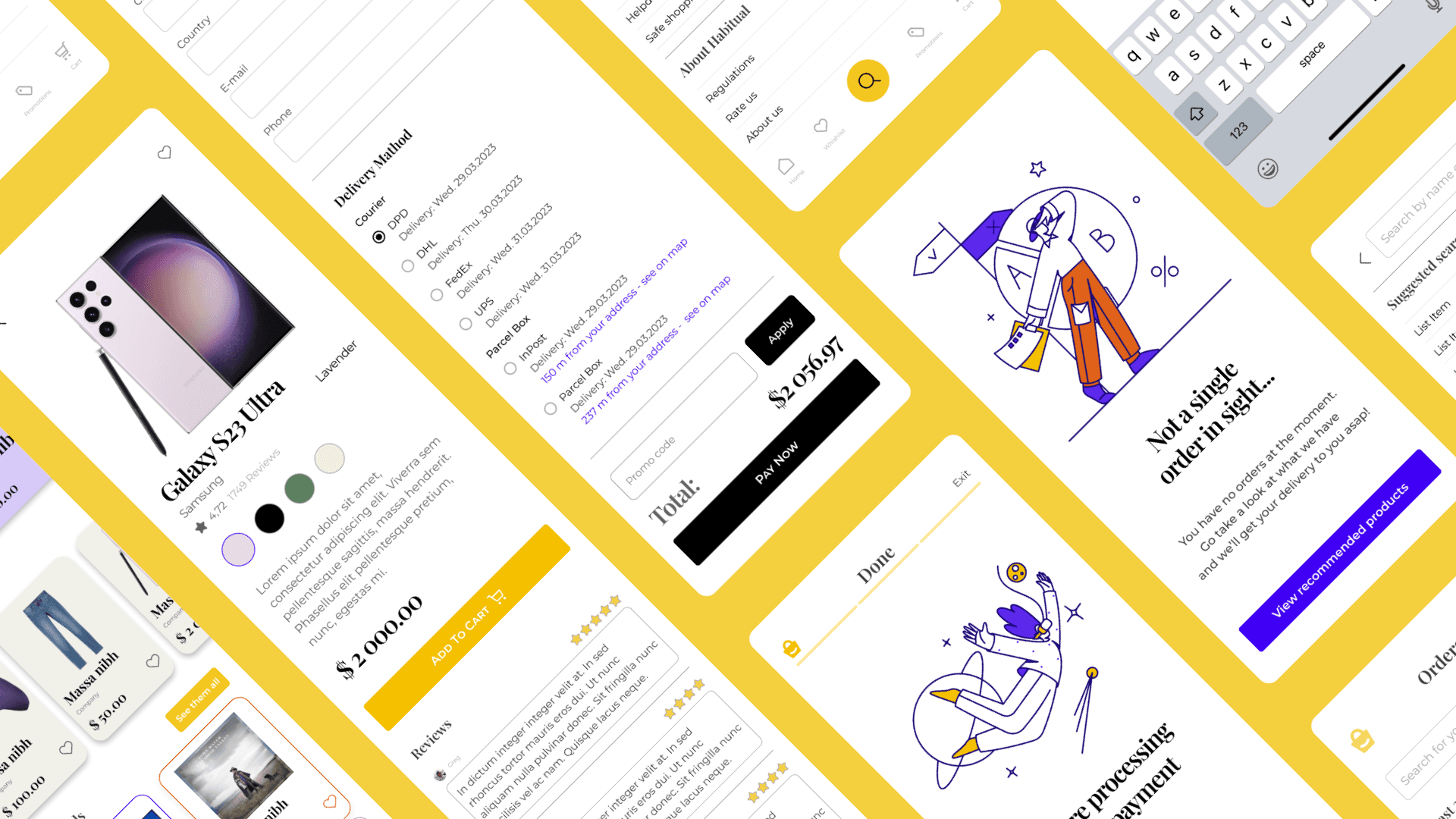
Habitual
Welcome to Habitual, where finding the perfect product is as easy as pie! My mission is to revamp the online shopping experience, making it a breeze for you to discover and purchase your favorite goodies without any hassle. Say goodbye to long searches and confusing navigation – with Habitual, shopping will become your new favorite habit!
Key Components:
Simplified Product Discovery: I'm diving deep to curate the best products just for you! Say goodbye to endless scrolling and hello to a handpicked selection of top-notch goodies that you're sure to love. With advanced filters and search options, finding your perfect product is a piece of cake!
Streamlined Buying Process: Who has time for a complicated checkout process? Not us! With Habitual, checking out is as easy as 1-2-3. Just three simple steps, and you're on your way to owning your new favorite find!
Intuitive Navigation: Confusion? Not here! I'm revamping our navigation to make it super simple for you to find exactly what you're looking for. No more getting lost in a sea of options – with Habitual, you'll always know exactly where to go. Plus, with simple menu structures, back buttons, and skip options, navigating our website is a breeze!
Expected Outcomes:
A shopping experience so delightful, you'll keep coming back for more!
Say goodbye to long searches and hello to finding your perfect product in record time.
Happy customers who can't wait to share their amazing finds with friends and family.
Habitual becoming your go-to destination for all your shopping needs – because why shop anywhere else?
Additional Information:
At Habitual, I'm committed to providing you with an exceptional shopping experience. From finding the perfect product to checking out seamlessly, I've got you covered every step of the way. Get ready to discover amazing products, streamline your buying process, and enjoy an online shopping experience like never before
Prototype
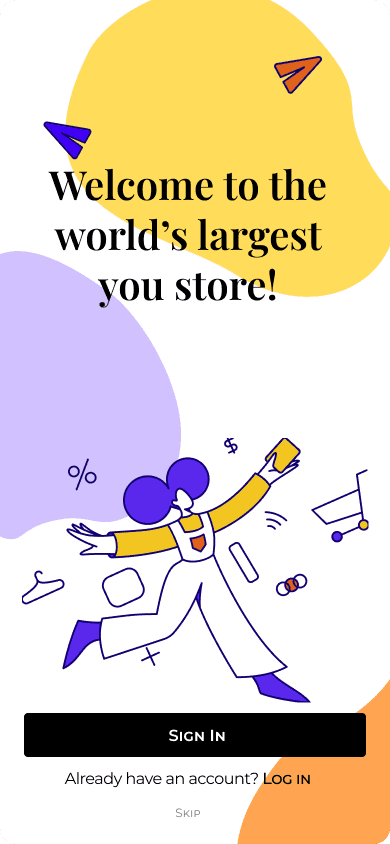
Case Study
Problems | Solutions |
|---|---|
Have to dig deep to find the perfect product Long buying process Confusing navigation | Perfect product easy to find by advanced filter and search 3 simple steps to check out completely Simple menu structure, back and skip buttons |
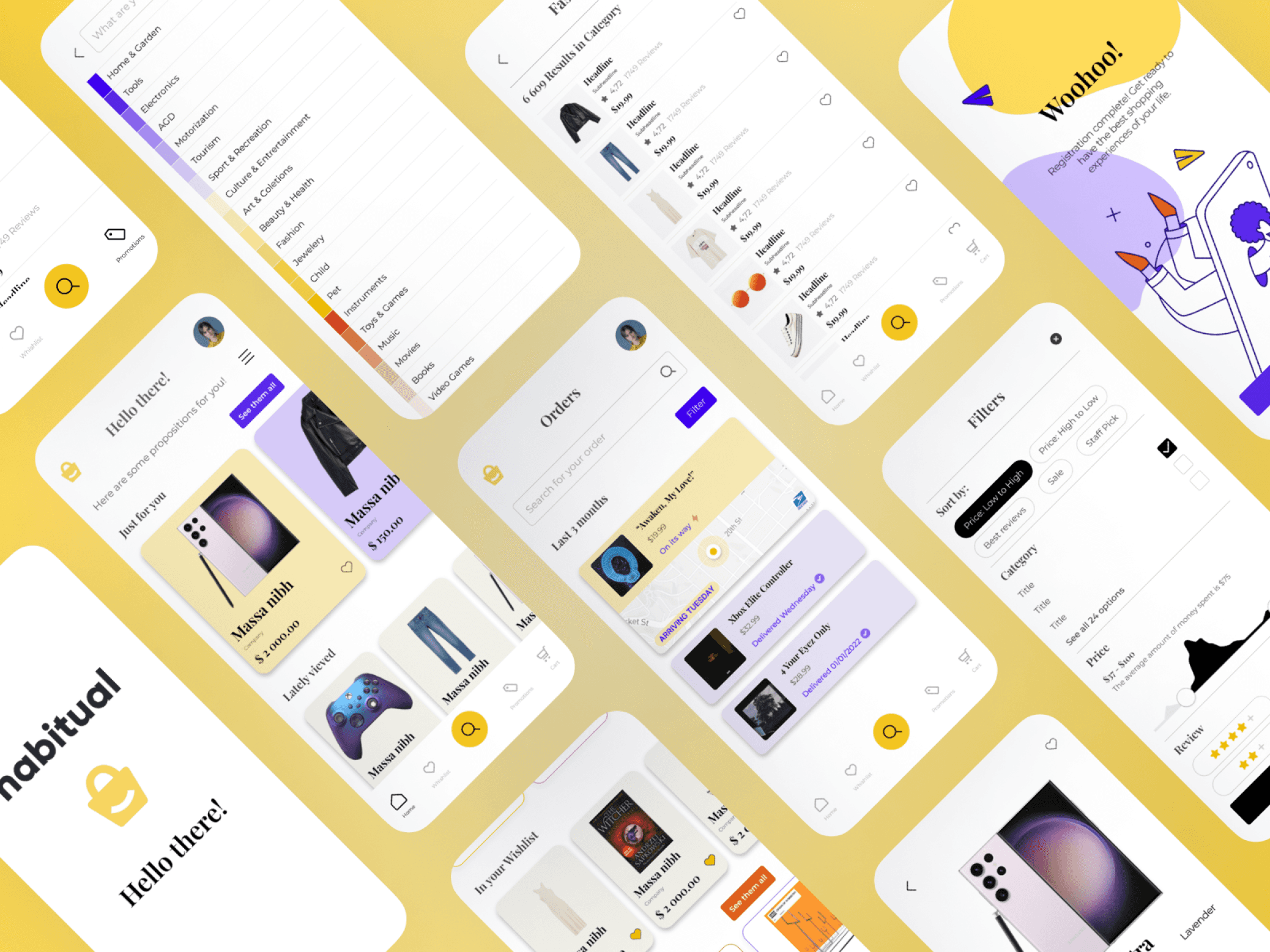
Design process
Discover | Ideate & Explore | Visual Design |
|---|---|---|
Competition analysis:
| User Flow Sitemaps Wireframes Prototyping | Grids and Spacing Typography Forms and UI Elements Color Imagery and Iconography Accesibility Putting it all tohether |
Competition analysis
After personally using all of the mentioned apps, I identified the major challenges
Information Overload: These apps have a vast selection of products, which can be overwhelming for users. Users may have a hard time finding what they need or distinguishing between similar products.
Poor Search Functionality: A poor search experience can make it difficult for users to find what they are looking for. This could be due to slow loading times, irrelevant search results, or a lack of filters and sorting options.
Navigation Confusion: Some users may find it challenging to navigate these apps, especially if the menu structure is complex or if there are too many categories to choose from.
Inconsistent User Interface: Inconsistencies in the design of the app, such as using different colors, fonts, and layouts on different pages, can make the user experience disjointed and frustrating.
Poor Product Information: Users need to have all the necessary information about a product, such as its price, availability, specifications, and reviews, to make an informed decision. A lack of information or poorly presented information can lead to a negative user experience.
Checkout Friction: Users may abandon their cart if the checkout process is too complicated, requires too many steps, or if there are unexpected fees or shipping costs.
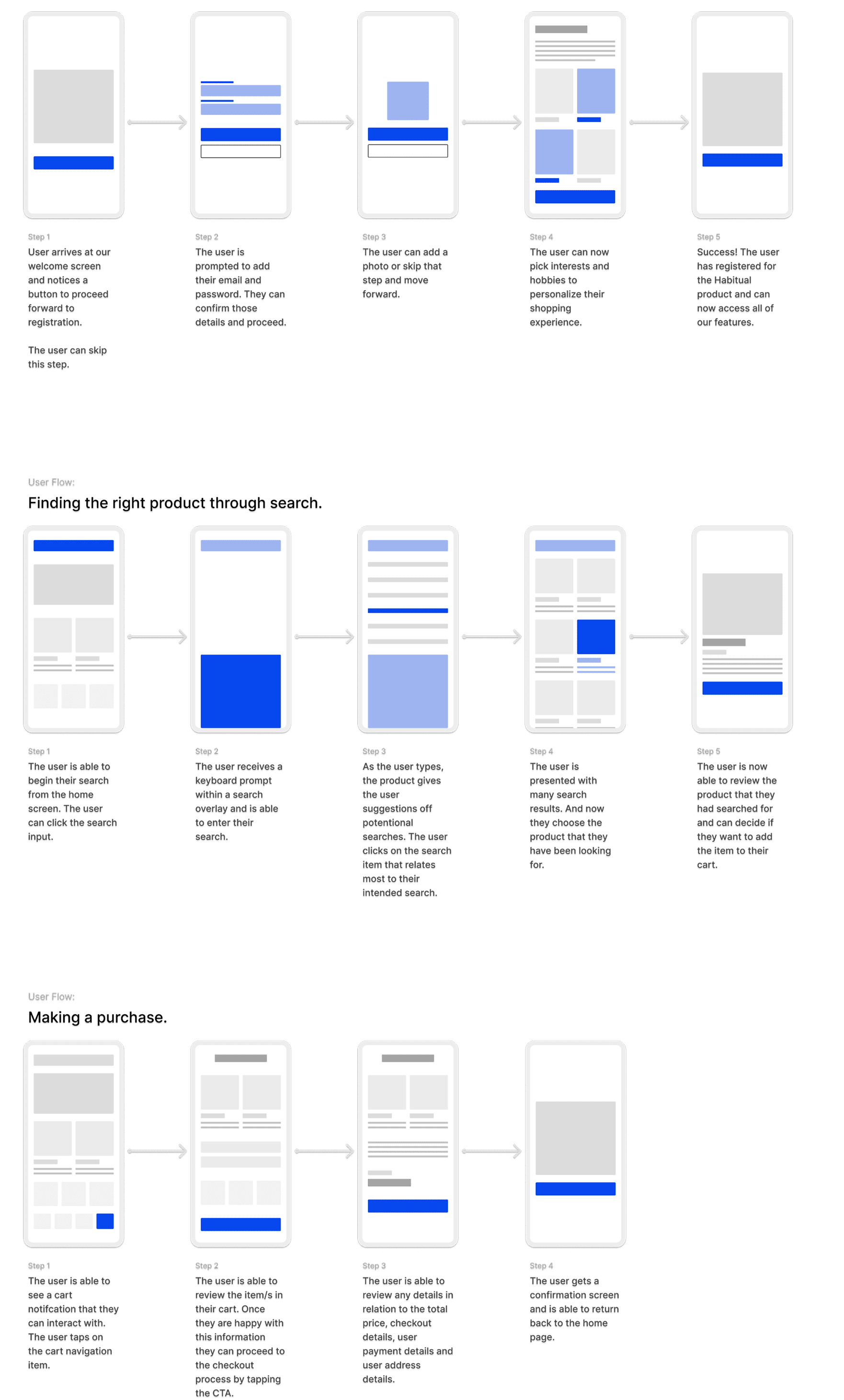
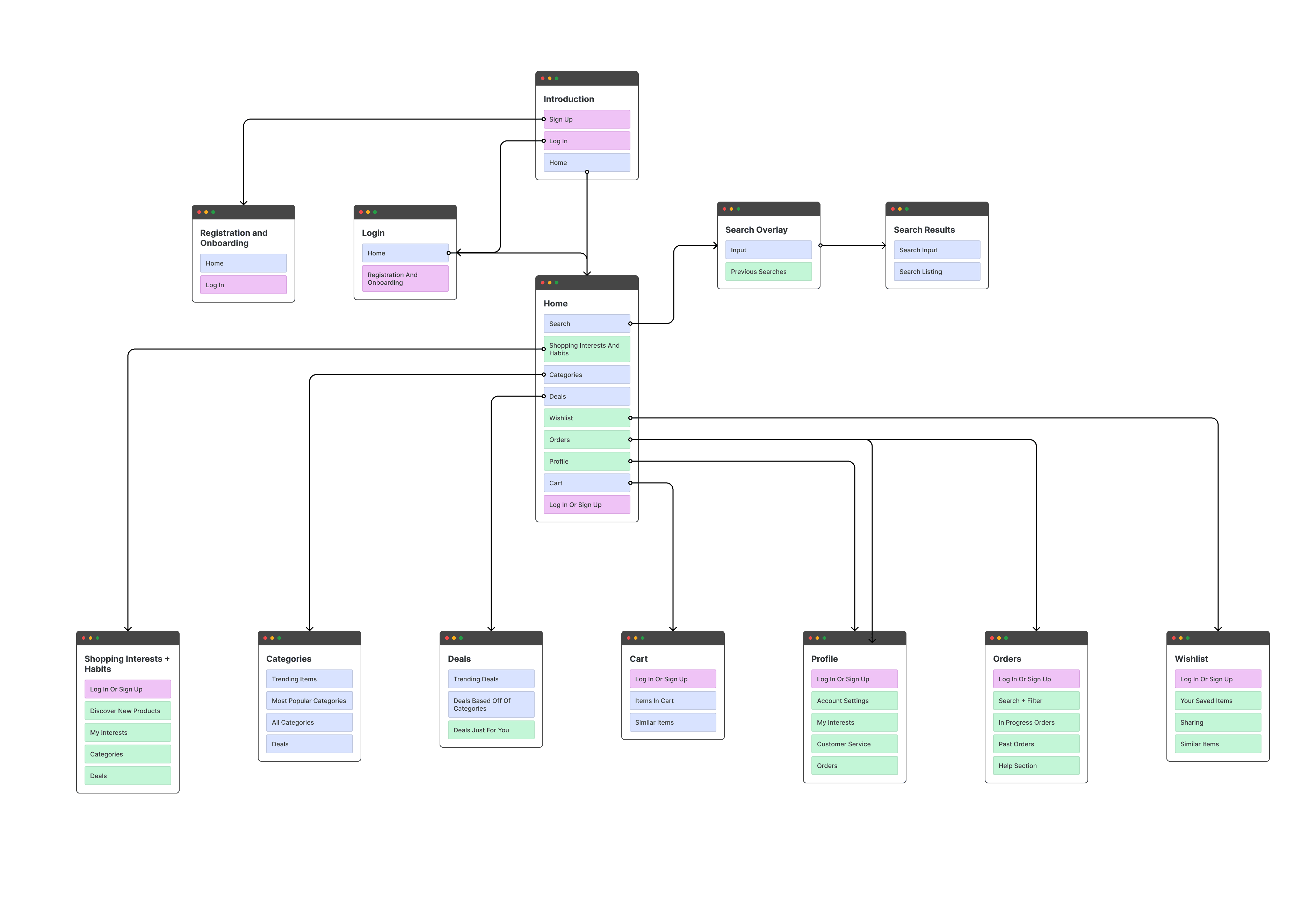
User flow
Site map
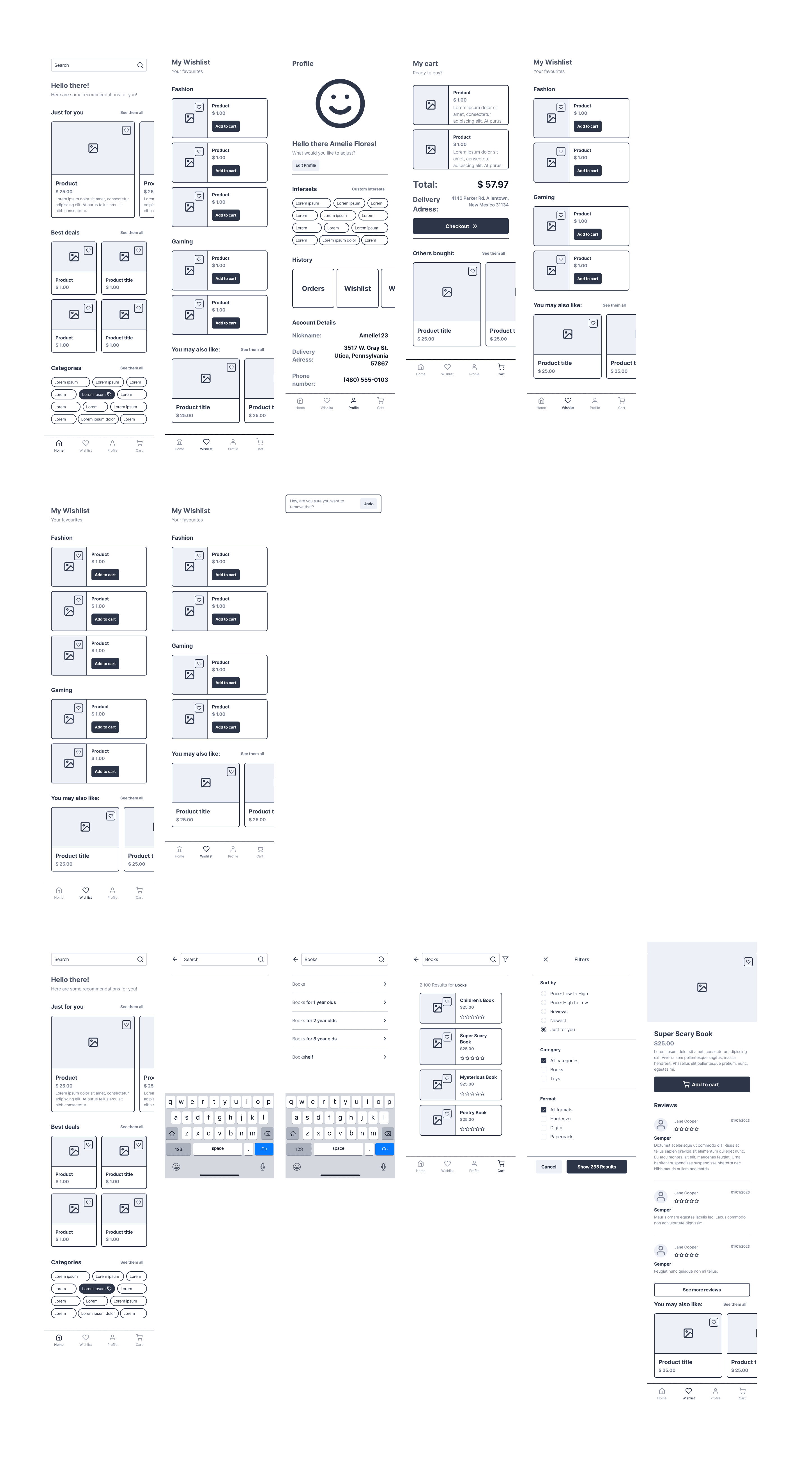
Wireframes
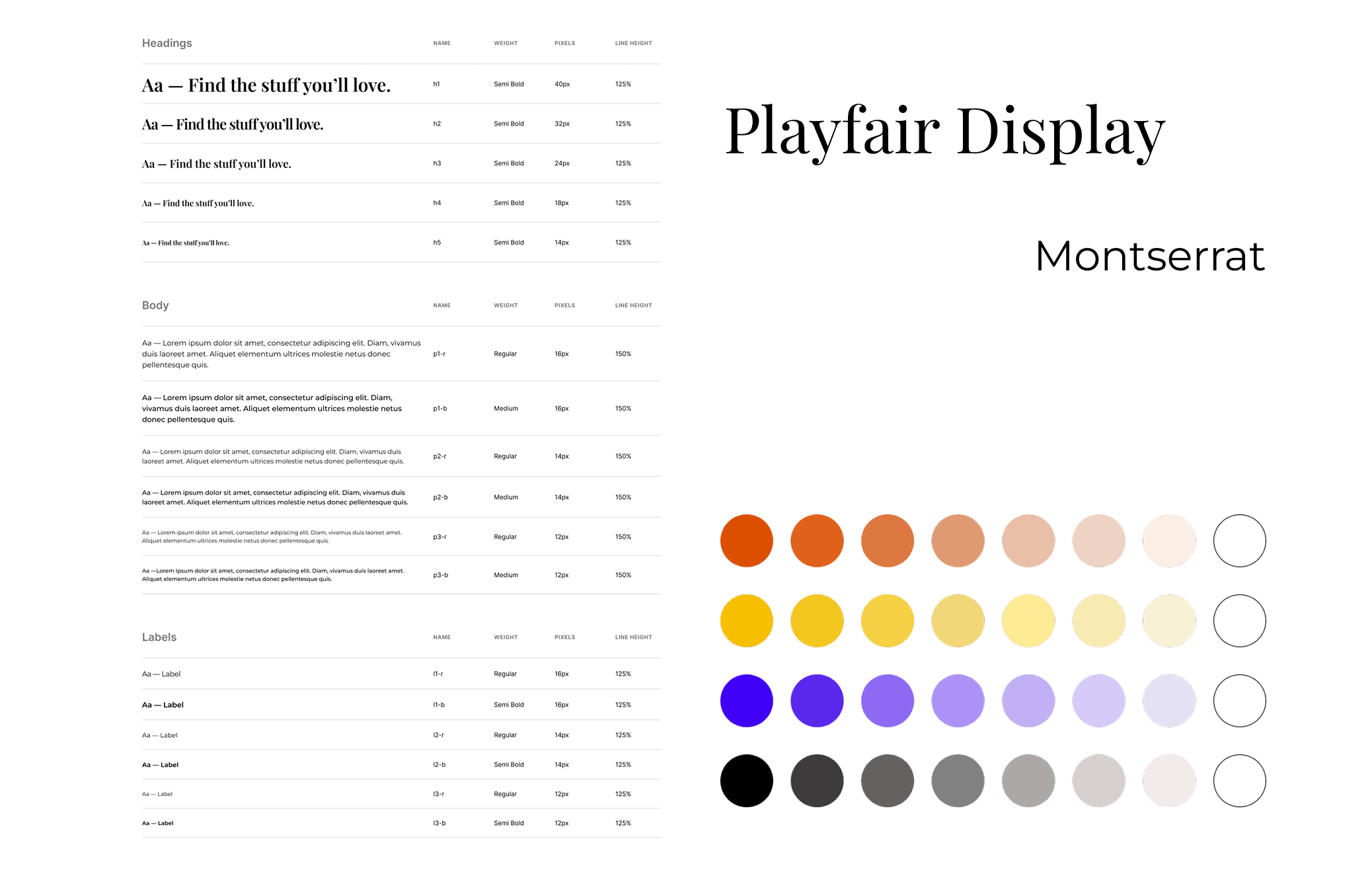
Typography and Colour
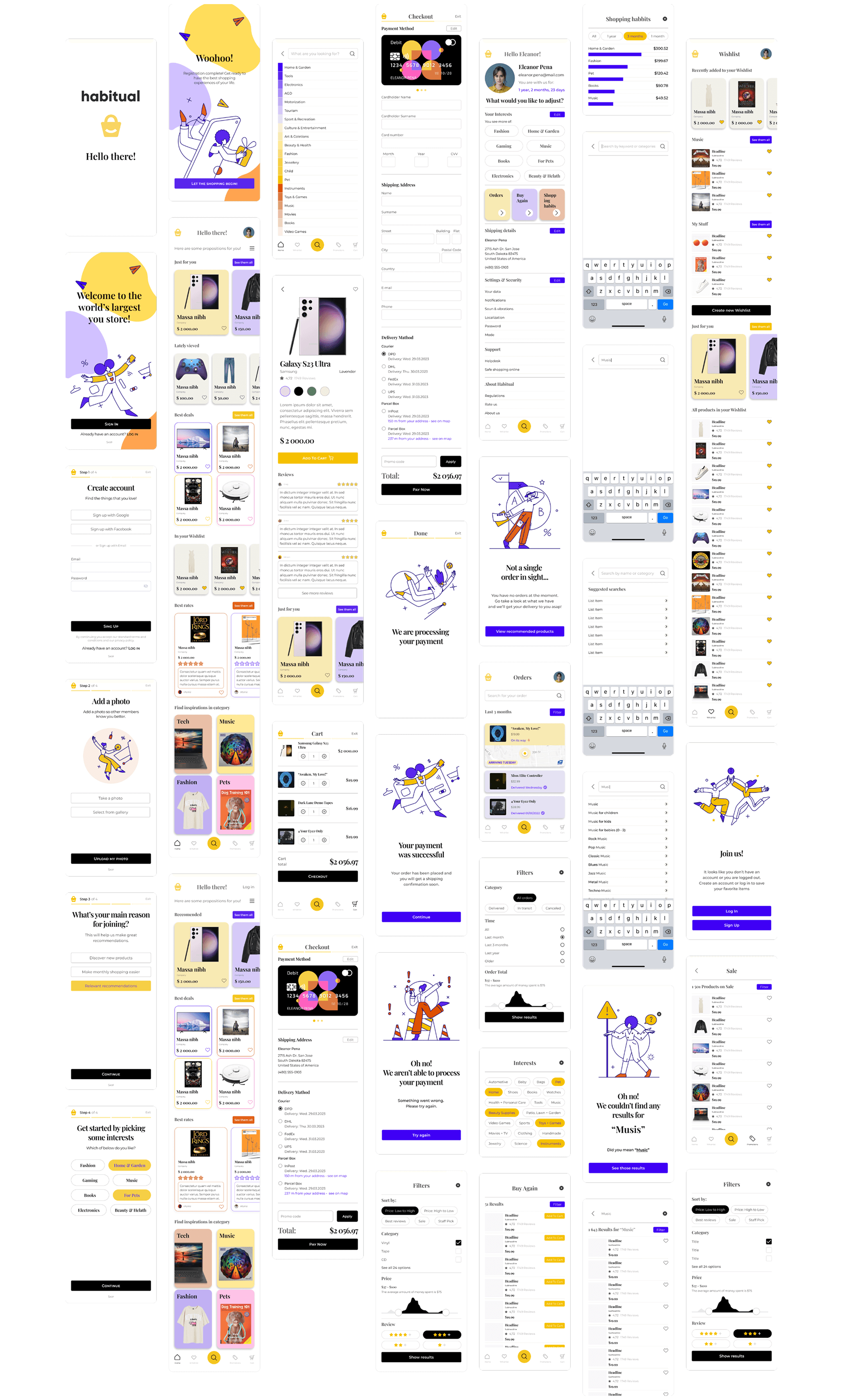
All screens
What I have learned
During those classes I have learned how to create sitemaps, user flows and how to explore, iterate my design while prototyping and creating wireframes. During classes I was taught how to use grids and spacing, forms, typograpfy, color, imagery and iconography and moreover how to make them accesible.